Showing posts with label microsoft. Show all posts

Monday, January 30, 2017

Windows Phone 8 system update announced by Microsoft

Windows Phone 8 system update announced by Microsoft


Microsofts new system supports NFC touch-and-go payment technology

Continue reading the main story

Related Stories

Microsoft has unveiled the next version of its smartphone operating system.
Microsoft Windows Phone 8 Windows Phone 8 shares much of its code with the firms PC system, making it easier for developers to write programs for different types of devices.
The company said it should mean there would be some "amazing games" for handsets running its new release.
A tie-up with Nokia has already brought several Windows Phone devices to market, but sales lag some way behind models running Android or Apples iOS.
Microsoft said Nokia, Samsung, HTC and Huawei would all be making devices powered by the system upgrade.
High-def handsets Other new features announced at the Windows Phone Summit event in San Francisco included:
  • Support for multi-core chips, allowing devices to turn on cores to access extra processing power when needed, and to switch off cores when not to preserve battery life
  • The ability to work with different screen resolutions including the high definition 720p format
  • Support for removable Micro SD cards allowing users to store more media files or install apps saved on the format
  • A new "wallet" app allowing the phone to act as both credit and membership cards. It also supports NFC (near field communication) payments
  • Built-in maps from Nokias Navteq division with turn-by-turn navigation
  • A more customisable start screen allowing users the choice of three tile sizes to represent installed software and more colour options
  • A warning alert if the software believes a website contains malware or is otherwise unsafe
Windows Phone 8 screenshot Application tiles can be made to look smaller
Background Skype The update also allows internet call software based on VoIP (voice over internet protocol) and video chat technologies to run in the background.
This addresses a complaint that the firms own Skype program could not be used to receive calls while its owner was using another application - a function offered on rival platforms.
The firm said VoIP calls should now "feel like any other call" made or received by Windows Phone handsets.
Windows 8 and Windows Phone 8 strongly resemble each other - at least when the PC system is run under its Metro interface - and Microsoft was keen to stress that their relationship goes deeper than appearance alone.
The two will share a range of components including graphic drivers, the DirectX collection of application programming interfaces (APIs) and the NT kernel that ties application software to the hardware it is installed on. They can also both support native code in the C and C++ programming languages.
Microsoft said this should not only make it easier to port software between the two environments, but should speed up the time it takes developers to recode programs originally built for iOS and Android.
More games Microsoft noted more than 100,000 apps had been released for Windows Phone 7.
By contrast there are more than 466,500 programs in the Android marketplace according to search site Appbrain, and "over 500,000" in Apples app store according to the iPhone maker.
Surface tablet The system software that powers Microsofts Surface tablets shares many components with Windows Phone 8
Securing "marquee titles" is more important to some than raw numbers, and Microsoft addressed this too with news that Gamelofts Nova 3 and Zyngas Draw Something were coming to Windows Phone.
"Until now handsets running Microsofts system have been missing some of the most innovative applications and popular games," said Malik Saadi, principal analyst at Informa Telecoms.
"Now with the update from Windows Phone 7 to 8 this should be addressed. Many of the developers I had spoken to had said they were holding off until they knew more about the new system. It looks like that barrier has now gone."

Go to link Download

Read more »

Sunday, January 1, 2017

Top 5 Microsoft Edge Browser Features That Make it Worth A Try

Top 5 Microsoft Edge Browser Features That Make it Worth A Try


Top 5 Microsoft Edge Browser Features That Make it Worth A Try

1. Fully-Supported Extensions

There’s nothing new about browser extensions – they’ve been around for a long time and even IE had a bit of extensibility; but it was far behind from competing browsers like Chrome and Firefox in that department. Now with Edge Microsoft has finally promised to change that thing and provide the same kind of extensibility that Firefox and Chrome provide to its users. There’s a catch, though: this feature won’t ship with the original version of Windows 10 that’ll be shipped to the market – Microsoft will release it via a separate update instead.extension
extension

2. Cortana

By now it’s evident that the engineers at Microsoft have tried to integrate Cortana as tightly as possible in Windows 10. Edge, of course, is no exception. And the thing that you’ll love about it is its smart integration. There’s a considerable difference between integration and smart integration. When you’re browsing in Edge and you’re on a page for which you may need directions, Cortana pops up itself proposing them to you. For example, if you’re on the page of a museum, Cortana may pop up proposing you the directions to that museum. It can also help you in finding relevant information about any word as soon as you select that word and right-click it.cortana
cortana

3. An Awesome New-Tab Page

People land on it hundreds of times in a day, so it made sense for Microsoft to use it smartly. So first of all guys at Microsoft got rid of that address bar and included a simple search bar only. You can still type an address into that search bar and it’ll take you to that page instantly – but it’s not written there and you won’t come to know about it until you do it. Perhaps it’s Microsoft’s way of declaring an address bar irrelevant! Next, it was time to make some new additions to the page. So there’s information like sports scores, weather information, app suggestions, video suggestions, and of course, those traditional top sites that you visit frequently. But it must  be said that Microsoft made much better use of that real estate than its competitors.new tab page
new tab page

4. Reading Mode

Another feature that has been around in competing browsers for a long time, but is making its way in a Microsoft browser for the first time is Reading Mode, which strips out all the junk from a webpage when you’re reading an article or something else.reading mode
reading mode

5. Page Annotations

Well, this is a unique thing up to its sleeve. This feature has not yet been released by competing browsers. Microsoft Edge will allow you to annotate and save the web pages as you wish. If you want to do the same with competing browsers like Chrome, you must save the page as PDF or image file first, then annotate that file in another third-party program. Edge will save you from that hassle. It’ll allow you to annotate pages and then share them as an image file via email or social apps. Cool, isn’t it?page annotation feature
page annotation feature
There are tons of other features too, like speed, autofill for login information, ability of starting a private browsing session and so on. With that much functionality in the package, it definitely makes sense to give Edge a shot at least once. If you want to try it, you can download it from here by taking part in Windows Insider Program.

Go to link Download

Read more »

Monday, December 12, 2016

Watch Movies in Microsoft Paint

Watch Movies in Microsoft Paint


Watch Movies in Microsoft Paint.


No joke, did you know that you can watch movies in paint? But u cant do anything (Just watch it when its playing in Winamp... hope no use other than just experimenting..)


Heres what you gotta do :


1.Open your favourite movie player and play the movie (I played the .mpg format in Winamp)


2.Hit "PrintScreen", keep playing the movie in the player, dont stop it.


3.Open MsPaint.


4.Select "Edit>Paste" Or Hit "CTRL+V"


P.S: You can watch movies in Paint! But there are no Pause, Next, Previous, Stop etc. buttons....

Experiment with other formats too, it doesnt play DivX , Flash movies, etc.

Go to link Download

Read more »

Monday, November 28, 2016

Why Windows Kernel Slower is Than Other OS – Anonymous Microsoft Dev Says

Why Windows Kernel Slower is Than Other OS – Anonymous Microsoft Dev Says


Why Windows Kernel Slower is Than Other OS – An Anonymous Microsoft Dev Says

Hello Friends,

Do you ask a common questions all the time that Why Windows is slow ? or Why my PC is slowing down after some days even if there is very minimum apps or file in my PC ? This is the regular case whether you use Laptop, Desktop or High end / High configuration Computer.

Yes this is the common question, that everyone asks on computing. As a IT Pro We face this question daily, and a major headache and challenge in the profession. But there is no specific answers from any IT Pro or from Microsoft. The answer may be many or may be one ? But what is the real/true reason behind it is still unknown and to be found out. There are many discussions on the internet and on offline. Few days ago there was a long discussion on CNET (Why do all Window systems slow down over time?). But have may reasons at last.

The Design and Development of the Windows OS is questionable many a times, in this scenario. Comparing to other OS, it is true that Windows is Slower than other (Linux, Mac etc.) in many cases.

Here is the recent post by an anonymous Microsoft developer, describing the causes of the issue from the development point of view.

The post was 1st published on (Microsoft dev explained in a comment) Hacker News, (then deleted, and reposted on Zorinaq.com). Just read through it to know more, why Windows “is indeed slower than other operating systems in many scenarios, and the gap is worsening”.

SlowerWindows

--------------------Read the Full post below-------------------------------

"I Contribute to the Windows Kernel. We Are Slower Than Other Operating Systems. Here Is Why."

I was explaining on Hacker News why Windows fell behind Linux in terms of operating system kernel performance and innovation. And out of nowhere an anonymous Microsoft developer who contributes to the Windows NT kernel wrote a fantastic and honest response acknowledging this problem and explaining its cause. His post has been deleted! Why the censorship? I am reposting it here. This is too insightful to be lost. [Edit: The anonymous poster himself deleted his post as he thought it was too cruel and did not help make his point, which is about the social dynamics of spontaneous contribution. However he let me know he does not mind the repost at the condition I redact the SHA1 hash info, which I did.] [Edit: A second statement, apologetic, has been made by the anonymous person. See update at the bottom.]

"""

Im a developer in Windows and contribute to the NT kernel. (Proof: the SHA1 hash of revision #102 of [Edit: filename redacted] is [Edit: hash redacted].) Im posting through Tor for obvious reasons.

Windows is indeed slower than other operating systems in many scenarios, and the gap is worsening. The cause of the problem is social. Theres almost none of the improvement for its own sake, for the sake of glory, that you see in the Linux world.

Granted, occasionally one sees naive people try to make things better. These people almost always fail. We can and do improve performance for specific scenarios that people with the ability to allocate resources believe impact business goals, but this work is Sisyphean. Theres no formal or informal program of systemic performance improvement. We started caring about security because pre-SP3 Windows XP was an existential threat to the business. Our low performance is not an existential threat to the business.

See, component owners are generally openly hostile to outside patches: if youre a dev, accepting an outside patch makes your lead angry (due to the need to maintain this patch and to justify in in shiproom the unplanned design change), makes test angry (because test is on the hook for making sure the change doesnt break anything, and you just made work for them), and PM is angry (due to the schedule implications of code churn). Theres just no incentive to accept changes from outside your own team. You can always find a reason to say "no", and you have very little incentive to say "yes".

Theres also little incentive to create changes in the first place. On linux-kernel, if you improve the performance of directory traversal by a consistent 5%, youre praised and thanked. Here, if you do that and youre not on the object manager team, then even if you do get your code past the Ob owners and into the tree, your own management doesnt care. Yes, making a massive improvement will get you noticed by senior people and could be a boon for your career, but the improvement has to be very large to attract that kind of attention. Incremental improvements just annoy people and are, at best, neutral for your career. If youre unlucky and you tell your lead about how you improved performance of some other component on the system, hell just ask you whether you can accelerate your bug glide.

Is it any wonder that people stop trying to do unplanned work after a little while?

Another reason for the quality gap is that that weve been having trouble keeping talented people. Google and other large Seattle-area companies keep poaching our best, most experienced developers, and we hire youths straight from college to replace them. You find SDEs and SDE IIs maintaining hugely import systems. These developers mean well and are usually adequately intelligent, but they dont understand why certain decisions were made, dont have a thorough understanding of the intricate details of how their systems work, and most importantly, dont want to change anything that already works.

These junior developers also have a tendency to make improvements to the system by implementing brand-new features instead of improving old ones. Look at recent Microsoft releases: we dont fix old features, but accrete new ones. New features help much more at review time than improvements to old ones.

(Thats literally the explanation for PowerShell. Many of us wanted to improve cmd.exe, but couldnt.)

More examples:

  • We cant touch named pipes. Lets add %INTERNAL_NOTIFICATION_SYSTEM%! And lets make it inconsistent with virtually every other named NT primitive.
  • We cant expose %INTERNAL_NOTIFICATION_SYSTEM% to the rest of the world because we dont want to fill out paperwork and were not losing sales because we only have 1990s-era Win32 APIs available publicly.
  • We cant touch DCOM. So we create another %C#_REMOTING_FLAVOR_OF_THE_WEEK%!
  • XNA. Need I say more?
  • Why would anyone need an archive format that supports files larger than 2GB?
  • Lets support symbolic links, but make sure that nobody can use them so we dont get blamed for security vulnerabilities (Great! Now we get to look sage and responsible!)
  • We cant touch Source Depot, so lets hack together SDX!
  • We cant touch SDX, so lets pretend for four releases that were moving to TFS while not actually changing anything!
  • Oh god, the NTFS code is a purple opium-fueled Victorian horror novel that uses global recursive locks and SEH for flow control. Lets write ReFs instead. (And hey, lets start by copying and pasting the NTFS source code and removing half the features! Then lets add checksums, because checksums are cool, right, and now with checksums were just as good as ZFS? Right? And who needs quotas anyway?)
  • We just cant be fucked to implement C11 support, and variadic templates were just too hard to implement in a year. (But ohmygosh we turned "^" into a reference-counted pointer operator. Oh, and whats a reference cycle?)

Look: Microsoft still has some old-fashioned hardcore talented developers who can code circles around brogrammers down in the valley. These people have a keen appreciation of the complexities of operating system development and an eye for good, clean design. The NT kernel is still much better than Linux in some ways --- you guys be trippin with your overcommit-by-default MM nonsense --- but our good people keep retiring or moving to other large technology companies, and there are few new people achieving the level of technical virtuosity needed to replace the people who leave. We fill headcount with nine-to-five-with-kids types, desperate-to-please H1Bs, and Google rejects. We occasionally get good people anyway, as if by mistake, but not enough. Is it any wonder were falling behind? The rot has already set in.

"""

Edit: This anonymous poster contacted me, still anonymously, to make a second statement, worried by the attention his words are getting:

"""

All this has gotten out of control. I was much too harsh, and I didnt intend this as some kind of massive exposé. This is just grumbling. I didnt appreciate the appetite people outside Microsoft have for Kremlinology. I should have thought through my post much more thoroughly. I want to apologize for presenting a misleading impression of what its like on the inside.

First, I want to clarify that much of what I wrote is tongue-in-cheek and over the top --- NTFS does use SEH internally, but the filesystem is very solid and well tested. The people who maintain it are some of the most talented and experienced I know. (Granted, I think they maintain ugly code, but ugly code can back good, reliable components, and ugliness is inherently subjective.) The same goes for our other core components. Yes, there are some components that I feel could benefit from more experienced maintenance, but were not talking about letting monkeys run the place. (Besides: you guys have systemd, which if Im going to treat it the same way I treated NTFS, is an all-devouring octopus monster about crawl out of the sea and eat Tokyo and spit it out as a giant binary logfile.)

In particular, I dont have special insider numbers on poaching, and what I wrote is a subjective assessment written from a very limited point of view --- I watched some very dear friends leave and I havent been impressed with new hires, but I am *not* HR. I dont have global facts and figures. I may very well be wrong on overall personnel flow rates, and I shouldnt have made the comment I did: I stated it with far more authority than my information merits.

Windows and Microsoft still have plenty of technical talent. We do not ship code that someone doesnt maintain and understand, even if it takes a little while for new people to ramp up sometimes. While I have read and write access to the Windows source and commit to it once in a while, so do tens and tens of thousands of other people all over the world. I am nobody special. I am not Deep Throat. Im not even Steve Yegge. Im not the Windows equivalent of Ingo Molnar. While I personally think the default restrictions placed on symlinks limited their usefulness, there *was* a reasoned engineering analysis --- it wasnt one guy with an ulterior motive trying to avoid a bad review score. In fact, that practically never happens, at least consciously. We almost never make decisions individually, and while I maintain that social dynamics discourage risk-taking and spontaneous individual collaboration, I want to stress that we are not insane and we are not dysfunctional. The social forces I mentioned act as a drag on innovation, and I think we should do something about the aspects of our culture that I highlighted, but were far from crippled. The negative effects are more like those incurred by mounting an unnecessary spoiler on a car than tearing out the engine block. Whats indisputable fact is that our engineering division regularly runs and releases dependable, useful software that runs all over the world. No matter what you think of the Windows 8 UI, the system underneath is rock-solid, as was Windows 7, and Im proud of having been a small part of this entire process.

I also want to apologize for what I said about devdiv. Look: I might disagree with the priorities of our compiler team, and I might be mystified by why certain C++ features took longer to implement for us than for the competition, but seriously good people work on the compiler. Of course they know what reference cycles are. Were one of the only organizations on earth thats built an impressive optimizing compiler from scratch, for craps sake.

Last, Im here because Ive met good people and feel like Im part of something special. I wouldnt be here if I thought Windows was an engineering nightmare. Everyone has problems, but people outside the company seem to infuse ours with special significance. I dont get that. In any case, I feel like my first post does wrong by people who are very dedicated and who work quite hard. They dont deserve the broad and ugly brush I used to paint them.

P.S. I have no problem with family people, and want to retract the offhand comment I made about them. I work with many awesome colleagues who happen to have children at home. What I really meant to say is that I dont like people who see what we do as more of a job than a passion, and it feels like we have a lot of these people these days. Maybe everyone does, though, or maybe Im just completely wrong.

Courtesy: http://blog.zorinaq.com/?e=74

---------------------------------------------------------------------

Posted on this blog by: bcdalai


Go to link Download

Read more »

Sunday, November 13, 2016

Wah Smart Assistant Microsoft Office Now Segera Rilis di Windows iOS dan Android

Wah Smart Assistant Microsoft Office Now Segera Rilis di Windows iOS dan Android


Windows sudah memiliki cortana, tetapi mereka tidak berhenti disitu saja. Dalam waktu yang tidak lama lagi Microsoft bakal merilis smart assistant khusus untuk Microsoft Office yaitu Office Now.
Hal yang cukup menarik adalah Office Now ini cukup identik dengan Cortana, hanya saja diperuntukkan khusus untuk keperluan produktivitas di Microsoft Office. Office Now ini dipastikan bakal langsung hadir di tiga platform populer yaitu Windows, iOS, dan Android.
Melihat dari bagaimana cara kerjanya, Office Now ini sepertinya adalah Work Assistant yang dulu videonya sempat bocor ke publik.

Mirip Cortana

Beberapa fungsi Office Now cukup mirip dengan Cortana, hanya saja dia terbatas di penggunaan aplikasi Office. Office Now bisa membantu kamu mengatur jadwal, menemukan informasi dengan cepat, menemukan email penting, melihat peta lokasi, dan berbagai kegiatan produktif lainnya.
Smart Assistant Microsoft Office Now Segera Rilis di Windows, iOS, dan Android
Nantinya di halaman utama Office Now kamu bakal menemukan rangkuman kegiatan dan aktivitas kamu.
Di pagi hari kamu bisa membukanya dan langsung mengetahui apa jadwal kamu sepanjang hari nanti, info jalanan macet, durasi waktu meeting yang harus kamu lakukan, menampilkan missed call dan memberikan opsi cepat untuk menelepon balik, dsb.
Smart Assistant Microsoft Office Now Segera Rilis di Windows, iOS, dan Android

Office Now vs Cortana

Meskipun bisa melakukan beberapa hal yang sama, namun ada perbedaan mendasar antara Office Now dan Cortana. Jika dengan Cortana kamu harus meminta, bertanya, atau memerintahkannya terlebih dahulu, di Office Now kamu tidak perlu melakukannya.
Smart Assistant Microsoft Office Now Segera Rilis di Windows, iOS, dan Android
Office Now lebih proaktif dalam menampilkan beberapa hal penting yang harus kita lalui dalam sehari-hari, tanpa harus kita bertanya terlebih dahulu seperti di Cortana.
Cortana hingga saat ini juga masih eksklusif ada di Windows dan Windows Phone, sedangkan Office Now bakal langsung dirilis cross platform untuk berbagai OS.

Nama Office Now Mengingatkan Pada Google Now

Smart Assistant Microsoft Office Now Segera Rilis di Windows, iOS, dan Android
Entah kenapa Microsoft memutuskan untuk menggunakan nama Office Now sebagai smart assistant Office mereka, padahal gaya penamaan ini cukup identik dengan smart assistant keluaran Google yaitu Google Now.
Nama Work Assistance bagi kita terdengar lebih “wah” dan “beda” dibandingkan dengan Office Now. Namun demikian ini adalah nama pilihan Microsoft yang tentunya memiliki alasan sendiri saat memutuskannya.

Go to link Download

Read more »

Thursday, November 3, 2016

Update Microsoft Security Essentials final version released

Update Microsoft Security Essentials final version released


399_thumb[3] Finally, after a year-long development phase, Microsoft Security Essentials has been publicly released. If you cant wait to get your hands on Microsofts latest security software, you dont need to wait any longer.
Microsoft recently confirmed the final version would be made available "in the coming weeks" but has taken the wraps off the final edition today. The final build number is 1.0.1611.0.

Security Essentials is designed to work on Windows XP, Vista and 7 and protects end users against virus threats and spy ware. MSE is Microsofts free anti-virus and anti-spyware product that is set to replace Microsofts paid Windows Live OneCare subscription service which was withdrawn earlier this year. Neowin exclusively revealed Security Essentials in June when it was codenamed "Morro".

In June, a public-beta was offered, and the download limit was reached within 24 hours. It will be absolutely free for all users of Windows XP, Vista and 7, and distributed in both 32bit and 64bit flavors — as long as you have a genuine copy of Windows. Microsoft will not bundle it with Windows 7, though, when its released on October 22nd, 2009.

"Consumers have told us that they want the protection of real-time security software but we know that too many are either unwilling or unable to pay for it, and so end up unprotected," said Amy Barzdukas, general manager for consumer security at Microsoft. "With Microsoft Security Essentials, consumers can get high-quality protection that is easy to get and easy to use – and it wont get in their way."

MSE is likely to be targeted to compete with the low end of anti-virus products from other providers, and it is not expected to make a big impact on sales of full-blown security suites. MSE is designed for home use. It requires no registration, trials or renewals and is available for download directly from Microsoft. Most users are expected to be home users or small businesses with a only a small amount of managed PCs. In a statement earlier this year, Janice Chaffin, president of Symantecs Consumer Division claimed: "Microsofts free product is basically a stripped down version of the OneCare product Microsoft pulled from the shelves. A full Internet security suite is what consumers require today to stay fully protected."

Security Essentials ranked fourth in a test with other leading free malware protection. If you are interested in MSE you can read an informative early review by Paul Thurott here.


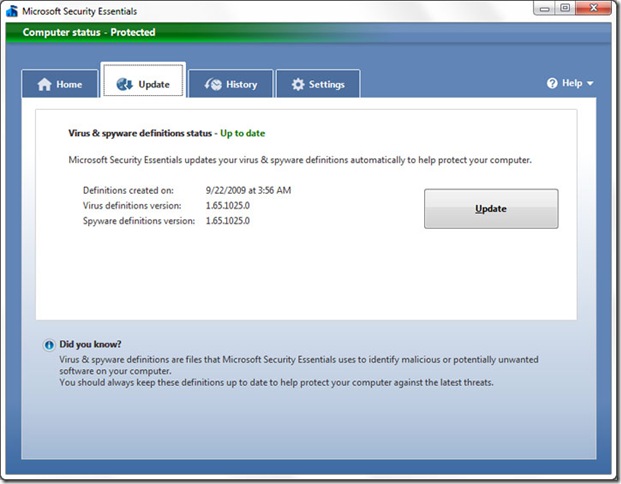
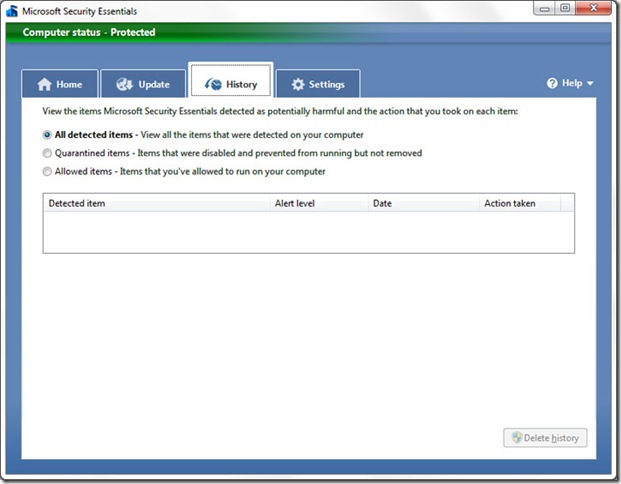
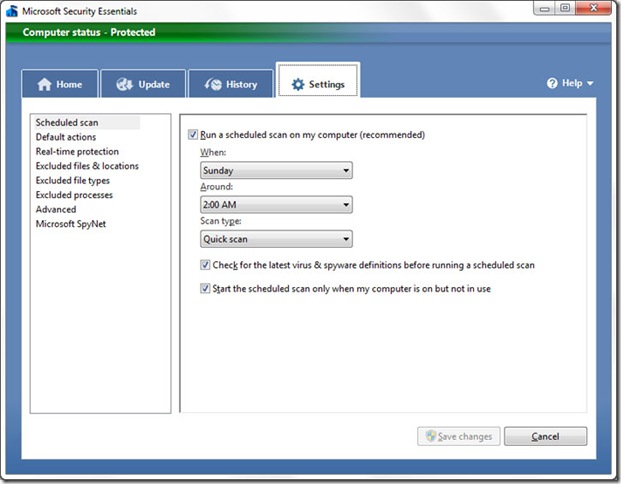
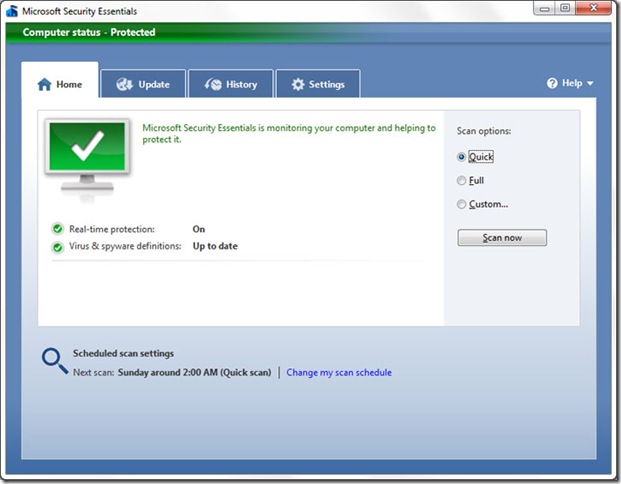
Screenshots :

mse_02

mse_05

mse_06

mse_07


Download: Windows XP (32 bit)
Download: Windows Vista & Windows 7 (32 bit)
Download: Windows Vista & Windows 7 (64 bit)


Go to link Download

Read more »

Sunday, September 11, 2016

waahh Microsoft Luncurkan Aplikasi yang Bisa Ubah Tulisan di Atas Kertas Jadi File Dokumen

waahh Microsoft Luncurkan Aplikasi yang Bisa Ubah Tulisan di Atas Kertas Jadi File Dokumen


Kali ini Microsoft kembali menghadirkan aplikasi istimewanya untuk sistem operasi iOS dan Android. Diberi nama Office Lens, aplikasi ini dapat memindai foto dari kertas atau papan tulis dan kemudian mengubahnya menjadi dokumen yang dapat Anda simpan dan sunting secara digital dalam format Office seperti Word, PowerPoint and PDF.

Jika Anda mengambil sebuah gambar dokumen, maka Word akan menyediakan layout kertas dan mengubah gambar tersebut menjadi teks menggunakan teknologi pendeteksi karakter (optical character recognition). Anda pun dapat melakukan hal yang sama dengan kartu nama untuk memasukkan kontak ke dalam ponsel Anda.

Lebih hebatnya lagi, Anda dapat memotret catatan pada papan tulis dan secara otomatis Office Lens akan memotong dan memutar gambar dan menjadikan sebagai file PowerPoint. Catatan dan bagan yang ada pada gambar pun menjadi obyek yang dapat dipindahkan, diganti ukurannya, diwarnai dan disunting secara digital di dalam PowerPoint.
Office Lens sudah diluncurkan sejak awal pekan ini ke platform iOS. Sementara itu, pengguna Android masih harus bersabar, Office Lens akan menyambangi platform kesayangan Anda dalam waktu dekat.

DOWNLOAD MICROSOFT OFFICE LENS PREVIEW

Go to link Download

Read more »