Friday, December 23, 2016

Wednesday, December 7, 2016
View Your Facebook Photos in Pinterest Layout
View Your Facebook Photos in Pinterest Layout

Pinterest has an attractive Image layout using panels, which makes browsing the pinned images a pleasure and highly addictive. Friendsheet is a Application that will help you view your Facebook Photos in similar way like Pinterest.

2. Then click the Go to App button when prompted and then authorize the Facebook app.
3. After the app has been given the permission the app Friendsheet will display your photos in new layout.

4. To hide the captions and comments from the layout, click on the settings menu at the top.

Go to link Download
Monday, December 5, 2016
View Delete all active hidden processes Trojan keyloggers from computer
View Delete all active hidden processes Trojan keyloggers from computer
View/Delete all active & hidden processes ( Trojan ,keyloggers ) from computer
Are you beware that is there any Trojon or virus or any type of keylogger hidden working on your pc and sending your logins to hackers.. ??


Go to link Download
Tuesday, November 1, 2016
View any Unknown File Extension with Windows File Viewer Free Program for Windows PC
View any Unknown File Extension with Windows File Viewer Free Program for Windows PC
- Sometimes you find it difficult to open few unknown file formats with some unknown extensions.
- Or sometimes you might not have a specific software installed on your PC like Microsoft Office of Adobe Photoshop to open some file and view it.
- If you are facing any of the above issue then the below listed software program will solve your issue.

What is File Viewer?
Steps to Get Started Using Windows File Viewer:
- First go to Windows file Viewer Official Site
- Then Download the software program from their site which is for free.
- Once you download the software program install it on to your PC.
- After the installation is finished you will notice File Viewer shortcut Icon on your Desktop.
- Just run it to get started using File Viewer.
- Now just drag and drop the file which you want to open via File Viewer.
Some More Features of Windows File Viewer:
- Can open upto 140+ different file formats.
- Works perfectly on all the windows OS like XP,Vista,Windows 7/8 as well.
- You can check the various file formats it supports over here
- It also plays videos of different formats with a single drag and drop option.
- You can Open Documents,Play Multimedia Files,View File Information,Copy File Data.
- You can view the files in 4 different views namely Native View,Text View,Hex View and Icon View.
- Do check out the Complete Features of Windows File Viewer
Go to link Download
Thursday, October 27, 2016
Using Performance Reports All Time option to view all your AdSense performance
Using Performance Reports All Time option to view all your AdSense performance
Google Adsense is a free way to earn money online. The advertising solution delivers text-based Ads that are relevant to website content pages.
Here’s how to get all the adsense data using the performance reports tab so that you can verify and analyze them starting from the beginning of implementation of the service.
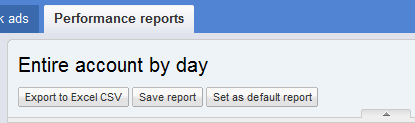
Login to your email or AdSense account and Go to the Performance reports Tab.
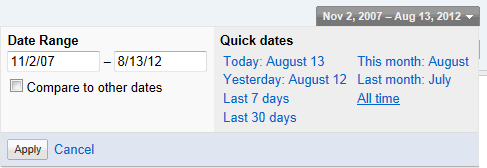
At the right side portion, find All time option as seen below:
From the option, you’ll be able to analyze if your system is working or not, using the Performance graph…
That’s it! It will take time until all the data is ready to view.
Just maximize the rows by changing the option to 100.

Adsense is being run by Google and allows publishers to make money online through advertisements that can generate revenue on either a per-click or per-impression basis.
Thanks for reading the article - Keep on reading!
Go to link Download
Sunday, September 11, 2016
windows 7 windows explorer doesnt expand tree view
windows 7 windows explorer doesnt expand tree view
Win7 by default does not auto expand the tree view when you navigate between folders.
The result being you don’t see the usually tree hierarchy on the left pane. Which makes it quite painful if you want to go up a few levels or see the other parent folders.

Luckily there is a new Folder Option called Navigation Pane to switch them back on again. You need to press Alt + T or Organize –> Folder Search Options in Windows Explorer to get to the dialog.

Switch both of them on and get the tree view back.

[VIA]
Go to link Download