Showing posts with label upgrade. Show all posts

Tuesday, December 13, 2016

Windows 7 Upgrade Facts
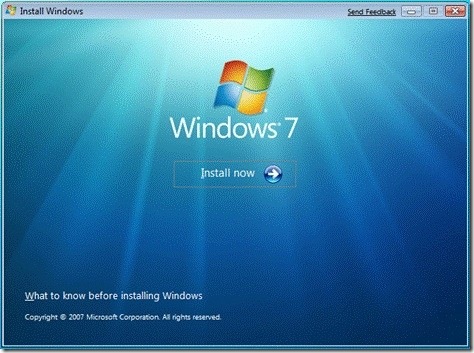
Windows 7 Upgrade Facts


windows-7-install

Windows 7 is set to come out through Microsofts gates as soon as October 22, and the Redmond-based company already fired up the machine to be prepared for the demand its client is expected to register from those users willing to upgrade to the new platform iteration as soon as it is available for purchase. There are some offers that students or families can benefit from, when they are upgrading from an earlier version of the OS, including Windows Vista or Windows XP, as well as a series of options aimed at businesses that plan on migrating to Windows 7.

For starters, we should mention the fact that those who plan on upgrading to Windows 7 will have to walk into a store to purchase the upcoming operating system, or head to the Microsoft Online Store to get their copy of the platform. The OS wont be available for purchase prior to October 22, yet users can already place pre-orders for it on the aforementioned Online Store. Eligible college students can get Windows 7 for only $29.99 by visiting http://www.win741.com/, while the Windows 7 Family Pack Offer, available for a limited time come October 22, provides 3 Upgrade Licenses for $149.99.

As for the upgrade process in itself, things are different when it comes to Windows Vista and Windows XP users. Vista can be easily upgraded to Windows 7, yet users should note that their current edition of Windows Vista will only move to a corresponding edition of Windows 7. Thus, one can move “from Windows Vista Home Premium to Windows 7 Home Premium or from a 32-bit version of Windows Vista to a 32-bit version of Windows 7. The process involves inserting the appropriate Windows 7 installation disc, running the setup program, and choosing the Upgrade installation option,” a post on Windows 7 Team Blog states.
This upgrade will keep all files, programs and settings on the computer and seems to be the most comfortable of all. But it applies only to current Vista users, as Windows XP owners will have to perform a “Custom” installation process, which starts with checking whether the minimum system requirements are met. The Windows 7 Upgrade Advisor will let users know whether they can move to the new client or not, and, after getting a “green light” from it, they can start upgrading. It should be mentioned that no files, programs or settings are preserved, so one should back up all data before upgrading, and put it back in place after completing the process. Those who will upgrade from Windows XP to Windows 7 on their own might consider taking a look at the step-by-step guide Microsoft provided for them here.


Go to link Download
Read more »

Friday, November 18, 2016

Windows 8 Upgrade Assistant v6 3 9600 16415 malestom

Windows 8 Upgrade Assistant v6 3 9600 16415 malestom


Windows 8 Upgrade Assistant v6.3.9600.16415 
Windows 8 Upgrade Assistant is a very useful application that was especially designed to help 

users see if their system is ready to accommodate the latest iteration of Windows.The program 

scans the PC and verifies if the installed apps and devices are compatible with Windows 8.

Windows 8 Upgrade Assistant is a small and portable application that lets you know if your 

system is compatible with the Windows 8 release, and helps you figure out which edition is 

suitable for you, in accordance with your software preferences.

Since installation is not a prerequisite, you can drop the EXE file anywhere on the hard 

drive and run it. It is also possible to move Windows 8 Upgrade Assistant to a USB flash 

drive or similar storage unit, in order to run it on any computer and test its capabilities.

It is important to mention that Windows Registry does not get entry updates, and files are 

not left behind on the hard disk after removing the program.

The interface of the application is modern and simple to use, taking a wizard approach. At 

initialization, it automatically scans the computer for all installed devices; this task may 

take a while to finish, depending on the complexity of your hard drive.

Results shows the total number of apps and devices which are compatible with Windows 8, along 

with the items that require reviewing. The compatibility details can be printed or saved to 

file for further scrutiny.

The software tool also helps you choose a Windows 8 edition (standard or professional), 

depending on what configuration best works for you. You can keep Windows settings, apps and 

personal files, only personal files, or nothing. The differences between the editions can be 

compared in the default web browser, where the program brings up the Microsoft corresponding 

webpage.

Windows 8 Upgrade Assistant is light on the system resources and works smoothly. No errors 

have been shown in our tests, and the utility did not hang or crash. Although it is not an 

indispensable tool, Windows 8 Upgrade Assistant can help users get a better idea on what 

features they are looking for, when it comes to Windows 8.

Installation

install the setup


DOWNLOAD   HERE:>

This is a portable version no need to activate

enjoy......................


Go to link Download

Read more »

Monday, October 31, 2016

Windows App Store doesnt load after 8 1 Upgrade

Windows App Store doesnt load after 8 1 Upgrade


If you're currently experiencing abandonment issues from the Windows Store after upgrading to Windows 8.1, don't panic there is hope.

You may see the Windows Store loading screen stuck in perpetual loop without end.


There is a relatively quick and painless fix.

You may have seen other sites recommend running the WSreset.exe tool, or manually trying to clear the cache from the WindowsSoftwareDistributionDownload folder.

Read more »

Go to link Download

Read more »

Friday, October 28, 2016

Trik Upgrade Windows Xp Tanpa Install Ulang

Trik Upgrade Windows Xp Tanpa Install Ulang


Trik Upgrade Windows Xp Tanpa Install Ulang


Apakah kamu memilki keluhan tentang windows xp anda yang bukan new version ?
Jangan khawatir dan jangan panik,disini helosmuh212 punya sedikit trik buat kamu yang pengen upgrade OS khususnya windows XP dari Windows XP SP2 ke Windows XP SP3 tanpa harus melakukan install ulang. Resiko yang dialami dalam mengupgrade windows dengan cara di install ulang adalah akan terjadinya hilang file dan data, jadi supaya lebih aman data dan filenya silahkan simak dan ikuti tutorial berikut ini :

1.pertama buka registry editor(regedit)
2. Jika Sudah Terbuka Registry Editor,Maka langka selanjutnya yang harus anda lakukan adalah
Masuk Ke "HKEY_LOCAl_MACHINE-SYSTEM-ControlSet002-Control-Windows"

3.selanjutnya anda klik 2X CSDVersion Ubah Nilai 200 menjadi 300 sepeti gambar berikut

4. selesai restart komputer anda
Note:
Ganti Juga Yang Di HKEY_LOCAl_MACHINE-SYSTEM-ControlSet001-Control-Windows jika anda belum percaya coba install software yang hanya bisa diinstall di windows xp sp3 dan tidak bisa dinstall di windows xp sp2 seperti microsoft office 2010

Bagaimana Mudah kan...!!!

Go to link Download

Read more »